
Token-Smart Agents: Self-Editing Memory, History Compaction, and Open-Source Integration Part 2

In the previous article, we gave a gentle introduction, using simple examples to explain the core idea behind self-editing memory. We showed how agents can turn memory operations into tools and dynamically update their internal state.
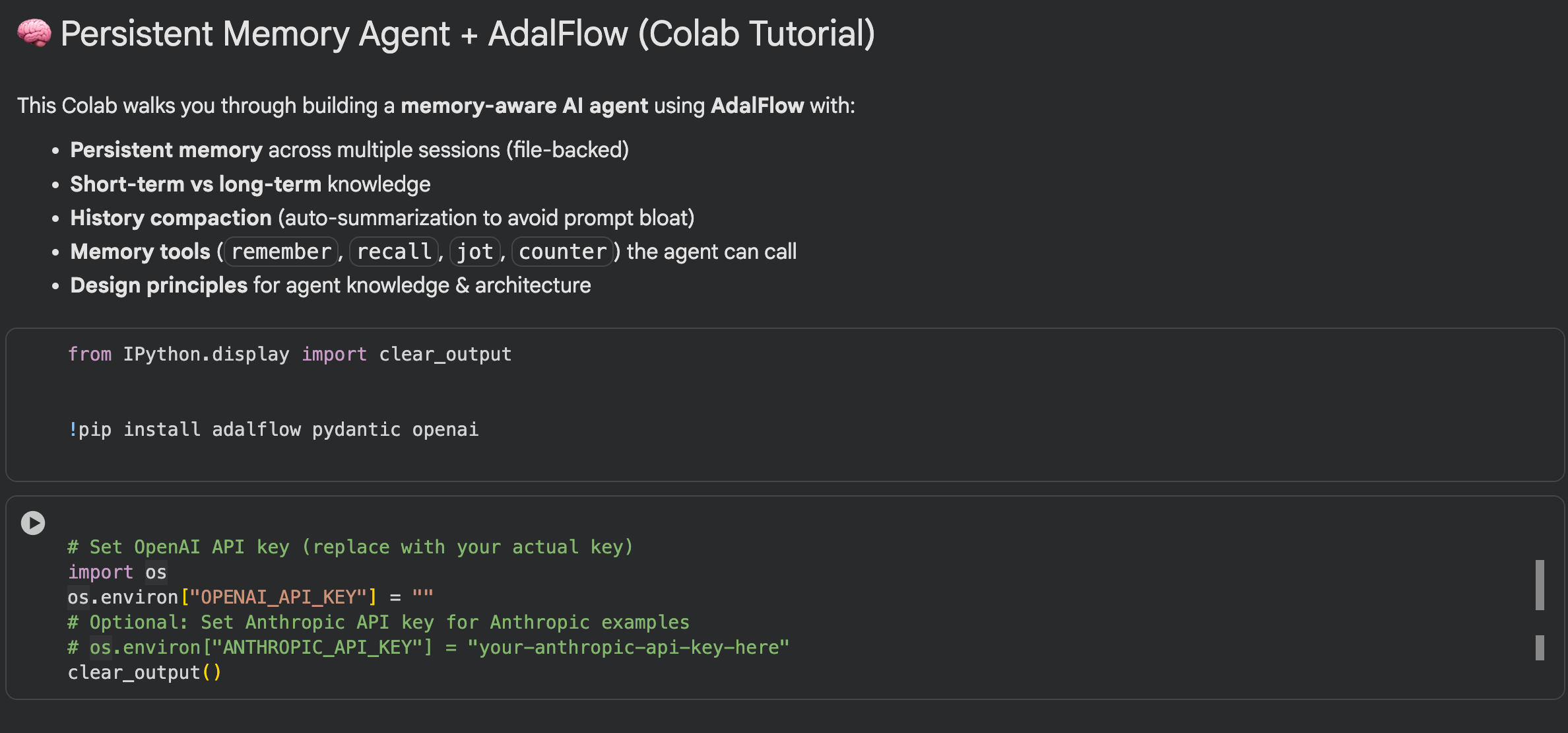
In this tutorial you’ll build a productionish AI agent that:
Uses AdalFlow for multi‑step tool use
Maintains persistent memory across multiple conversations/sessions
Automatically summarizes long histories to avoid prompt bloat
Exposes memory tools (remember/recall/jot/counter) your model can call
We’ll go from zero to a working CLI with file‑backed memory, and show you how to extend it.
What You’ll Build
A Python project with:
JSONMemoryStore: a simple, thread‑safe, file‑backed memory store (memory_store.json)
HistoryCompactor: auto‑summarizes long chats into a long‑term session summary
Memory‑aware system persona injection on every agent run
A set of tools that read/write memory (remember/recall/jot/counter) + a calculator + a stub web search
An AdalFlow Agent + Runner driving the tool‑calling loop
A single function agent_step(user_input, session_id) you can call repeatedly across conversations.
Hands-on Examples with Adalflow
Step 1 JSONMemoryStore (persistent, thread-safe)
we want agent knowledge to outlive the Python process and be safe under concurrent access.
Key ideas
short_term: injected verbatim into the prompt (fast recall, higher token cost).
long_term: durable facts + an evolving summary created from older history (compact).
global: rare, cross-session settings (e.g., shared counters, feature flags).
Important methods
ensure_session(session_id): lazily creates session buckets.
append_history(session_id, role, content): adds turns.
remember_fact(session_id, key, value, scope): writes to short_term or long_term.
recall_fact(session_id, key): reads (prefers short_term, falls back to long_term).
set_summary(session_id, summary): saves a long-term compressed summary.
Swap JSON for SQLite/Postgres/Redis later; keep the same method signatures so the rest of the code doesn’t change.
👉 If you like this one please give us a Star 🌟 AdalFlow
# ========= Persistent Memory Layer =========
class JSONMemoryStore:
    “”“
    Thread-safe, file-backed memory store.
    Structure:
    {
      “global”: {...},                       # global facts/counters
      “sessions”: {
        “<session_id>”: {
          “created_at”: “...”,
          “short_term”: { “notes”: [...], “facts”: {...} },
          “long_term”: { “summary”: “...”, “facts”: {...} },
          “history”: [ {”role”:”user”,”content”:”...”}, {”role”:”assistant”,”content”:”...”} ]
        }
      }
    }
    “”“
    def __init__(self, path: str = “memory_store.json”):
        self.path = path
        self.lock = threading.Lock()
        if not os.path.exists(self.path):
            with open(self.path, “w”, encoding=”utf-8”) as f:
                json.dump({”global”: {}, “sessions”: {}}, f, ensure_ascii=False, indent=2)
        self._cache = self._load()

    def _load(self) -> Dict[str, Any]:
        with open(self.path, “r”, encoding=”utf-8”) as f:
            return json.load(f)

    def _save(self) -> None:
        with open(self.path, “w”, encoding=”utf-8”) as f:
            json.dump(self._cache, f, ensure_ascii=False, indent=2)

    def get(self) -> Dict[str, Any]:
        with self.lock:
            return self._cache

    def upsert_global(self, key: str, value: Any) -> None:
        with self.lock:
            self._cache.setdefault(”global”, {})[key] = value
            self._save()

    def get_global(self, key: str, default: Any = None) -> Any:
        with self.lock:
            return self._cache.get(”global”, {}).get(key, default)

    def ensure_session(self, session_id: str) -> None:
        with self.lock:
            if session_id not in self._cache[”sessions”]:
                self._cache[”sessions”][session_id] = {
                    “created_at”: datetime.utcnow().isoformat(),
                    “short_term”: {”notes”: [], “facts”: {}},
                    “long_term”: {”summary”: “”, “facts”: {}},
                    “history”: [],
                }
                self._save()

    def append_history(self, session_id: str, role: str, content: str) -> None:
        with self.lock:
            self._cache[”sessions”][session_id][”history”].append({”role”: role, “content”: content})
            self._save()

    def add_note(self, session_id: str, note: str) -> None:
        with self.lock:
            self._cache[”sessions”][session_id][”short_term”].setdefault(”notes”, []).append(note)
            self._save()

    def remember_fact(self, session_id: str, key: str, value: Any, scope: str = “short”) -> None:
        with self.lock:
            bucket = “long_term” if scope == “long” else “short_term”
            self._cache[”sessions”][session_id][bucket].setdefault(”facts”, {})[key] = value
            self._save()

    def recall_fact(self, session_id: str, key: str, default: Any = None) -> Any:
        with self.lock:
            sess = self._cache[”sessions”][session_id]
            # Prefer short-term, then long-term
            return (
                sess.get(”short_term”, {}).get(”facts”, {}).get(key) or
                sess.get(”long_term”, {}).get(”facts”, {}).get(key, default)
            )

    def set_summary(self, session_id: str, summary: str) -> None:
        with self.lock:
            self._cache[”sessions”][session_id][”long_term”][”summary”] = summary
            self._save()

    def get_session_blob(self, session_id: str) -> Dict[str, Any]:
        with self.lock:
            return self._cache[”sessions”][session_id]
Then Init Your memory module:
# Instantiate the persistent store (one per process)
MEMSTORE = JSONMemoryStore(path=”memory_store.json”)
Step 2 Taming prompt bloat: HistoryCompactor
When the chat history grows beyond a threshold (e.g., 18 turns), summarize everything except the last few messages (e.g., 6 turns) using a light model.
Save that summary to long_term.summary, and keep only the last few turns in memory.
💡 Why This Matters
This approach gives the agent a kind of semantic spine, a long-term understanding of what’s been happening, while keeping recent messages word-for-word. It keeps a semantic backbone of past context in long-term memory, while recent dialogue stays verbatim.
The agent remembers what matters without reloading the entire chat every time — continuity, but efficient.It’s like having both memory and focus at the same time.
Tuning Tips
We can tweak how this works depending on setup:
Threshold — Lower it if your model has limited context length or if token cost is high; raise it if you can afford longer histories.
Summarization prompt — Make sure it preserves key details such as:
User goals and preferences
Tasks currently in progress
Decisions or actions already made
Outputs from tools or APIs
👉 If you like this one please give us a Star 🌟 AdalFlow
# ========= Summarization / Prompt-Bloat Control =========

class HistoryCompactor:
    “”“
    Compacts history via model-generated summaries when history grows too large.
    You can tune thresholds and what to keep verbatim.
    “”“
    def __init__(self, client: OpenAIClient, max_turns_before_summarize: int = 18):
        self.client = client
        self.max_turns = max_turns_before_summarize

    def maybe_compact(self, session_id: str) -> None:
        blob = MEMSTORE.get_session_blob(session_id)
        history: List[Dict[str, str]] = blob[”history”]

        if len(history) < self.max_turns:
            return

        # Keep the last k turns verbatim; summarize older context
        keep_tail = 6
        older = history[:-keep_tail]
        tail = history[-keep_tail:]

        # Build a compact summary
        prompt = (
            “Summarize the following dialogue into bullet points that preserve:\n”
            “- user goals/preferences/facts\n- tasks in progress\n- decisions and tool outcomes\n”
            “Avoid fluff. Be concise but complete.\n\nDIALOGUE:\n”
            + “\n”.join([f”{m[’role’].upper()}: {m[’content’]}” for m in older])
        )

        summary = self._summarize_with_model(prompt)
        MEMSTORE.set_summary(session_id, summary)

        # Replace history with tail only
        with MEMSTORE.lock:
            blob[”history”] = tail
            MEMSTORE._save()

    def _summarize_with_model(self, prompt: str) -> str:
        # Use the same OpenAIClient used by your Agent for consistency
        resp = self.client.chat.create(
            model=”gpt-4o-mini”,
            messages=[
                {”role”: “system”, “content”: “You summarize dialogues for memory compression.”},
                {”role”: “user”, “content”: prompt},
            ],
            temperature=0.2,
        )
        try:
            return resp[”choices”][0][”message”][”content”]
        except Exception:
return “(summary unavailable)”Step 3 Turning memory into guidance
Each run, you render a snapshot of memory into the system message:
GLOBAL MEMORY (rare, shared settings),
SESSION LONG-TERM SUMMARY (dense history),
SHORT-TERM FACTS (current working memory),
LONG-TERM FACTS (durable preferences/config).
SESSION_ID (current session id).
Why don’t use multiple prompts?
Reduce Drift
Using multiple prompts can lead to conflicts, or the model might forget earlier instructions, causing it to drift away from the intended behavior.
A single, focused system message keeps the model on a consistent path.Easier to Debug
When the model misbehaves, you only need to check or update one system message instead of tracking multiple scattered prompts.
This makes it much simpler to pinpoint issues and adjust strategies.
The LLM reads everything it needs to act correctly in this run.
👉 If you like this one please give us a Star 🌟 AdalFlow
# ========= System Persona Injection =========

PROMPT_WITHHISTORY = “”“ Answer the question {question}
based the memory information below:

# GLOBAL MEMORY
{global_memory_json}

# SESSION LONG-TERM SUMMARY
{session_summary}

# SESSION FACTS (short-term preferred, long-term as fallback)
SHORT-TERM FACTS:
{short_facts_json}

LONG-TERM FACTS:
{long_facts_json}

SESSION_ID:
{session_id}
“”“
def update_prompt_with_mem(user_query:str, session_id: str) -> str:
allmem = MEMSTORE.get()
global_mem = allmem.get(”global”, {})
sess = allmem[”sessions”][session_id]
summary = sess[”long_term”].get(”summary”, “”)
st_facts = sess[”short_term”].get(”facts”, {})
lt_facts = sess[”long_term”].get(”facts”, {})
return PROMPT_WITHHISTORY.format(
question=user_query,
global_memory_json=json.dumps(global_mem, ensure_ascii=False, indent=2),
session_summary=summary or “(no summary yet)”,
short_facts_json=json.dumps(st_facts, ensure_ascii=False, indent=2),
long_facts_json=json.dumps(lt_facts, ensure_ascii=False, indent=2),
session_id=session_id
)
Step 4 Tools Defination
Principle: The model never updates memory implicitly. It must call a tool. That makes state changes auditable and policy-guarded.
remember(session_id, key, value, scope): write a fact/preference.
recall(session_id, key): fetch a fact.
jot(session_id, note): append a note (free-form).
counter(session_id, op): example of global shared state (useful for demos/tests).
calculator(expression): a simple utility that showcases tool routing.
👉 If you like this one please give us a Star 🌟 AdalFlow
# ========= Tools (read/write persistent memory) =========

def t_calculator(expression: str) -> str:
    try:
        allowed = “0123456789+-*/(). “
        if any(ch not in allowed for ch in expression):
            return “Invalid characters in expression.”
        return str(eval(expression, {”__builtins__”: {}}))
    except Exception as e:
        return f”Calc error: {e}”

def t_remember(session_id: str, key: str, value: Any, scope: str = “short”) -> str:
    MEMSTORE.remember_fact(session_id, key, value, scope=scope)
    return f”Saved [{scope}] {key}.”

def t_recall(session_id: str, key: str, default: Optional[str] = None) -> str:
    return str(MEMSTORE.recall_fact(session_id, key, default or “Not found.”))

def t_jot(session_id: str, note: str) -> str:
    MEMSTORE.add_note(session_id, note)
    return f”Noted: {note}”

def t_counter(session_id: str, op: str = “inc”) -> str:
    # store in global scope to share counters across sessions; change to session if you prefer
    current = MEMSTORE.get_global(”counter_main”, 0)
    if op == “inc”:
        current += 1
    elif op == “dec”:
        current -= 1
    MEMSTORE.upsert_global(”counter_main”, current)
    return f”counter={current}”

# Wrap tools as AdalFlow FunctionTool
calc_tool     = FunctionTool(t_calculator)
remember_tool = FunctionTool(t_remember)
recall_tool   = FunctionTool(t_recall)
jot_tool      = FunctionTool(t_jot)
counter_tool = FunctionTool(t_counter)Step 5 Orchestration: AdalFlow Agent + Runner
Agent: knows which tools exist and how to call the model.
Runner: executes the multi-step loop: think → decide tool → call → observe → continue → final answer.
👉 If you like this one please give us a Star 🌟 AdalFlow
openai_client = OpenAIClient()

agent = Agent(
    name=”PersistentMemoryAgent”,
    tools=[calc_tool, remember_tool, recall_tool, jot_tool, counter_tool],
    model_client=openai_client,
    model_kwargs={”model”: “gpt-4o”, “temperature”: 0.3},
    max_steps=5,
)

runner = Runner(agent=agent)
compactor = HistoryCompactor(client=openai_client, max_turns_before_summarize=18)
Step 6 Build Agent Steps
Build agent_step, this is the only function UI/server needs:
Ensure session exists
Append history: user message
Maybe compact old turns
Build system persona from memory
Run: runner_result = runner.call(prompt_kwargs={”input_str”: prompt})
Append history: assistant message
Add a compact note (optional breadcrumb for quick scans)
Result: a final string answer, plus memory updates recorded by tools.
👉 If you like this one please give us a Star 🌟 AdalFlow
# ========= Public API =========

def agent_step(user_input: str, session_id: str) -> str:
    “”“
    Run the agent for a given session. Memory persists across runs.
    - Creates session if missing
    - Appends history
    - Injects memory into system prompt
    - Compacts history when large (auto-summarize into long-term)
    “”“
    MEMSTORE.ensure_session(session_id)
    print(f”👤 [{session_id}] User: {user_input}”)

    # Append user message to persistent history
    MEMSTORE.append_history(session_id, “user”, user_input)

    # Compact if needed
    compactor.maybe_compact(session_id)

    # Build prompt with current memory snapshot
    prompt = update_prompt_with_mem(user_input, session_id)

    # Execute with AdalFlow.
    runner_result = runner.call(
            prompt_kwargs={
            “input_str”: prompt,
        },

    )

    answer = runner_result.answer
    # Append assistant message to history
    MEMSTORE.append_history(session_id, “assistant”, str(answer))

    # Optional: auto-note a compact interaction line
    # MEMSTORE.add_note(session_id, f”{datetime.utcnow().isoformat()} | Q:{user_input[:120]} | A:{str(result)[:160]}”)

    print(f”🤖 [{session_id}] Agent: {answer}”)
    return str(answer)
Step 7 Test your agent with memory
👉 If you like this one please give us a Star 🌟 AdalFlow
agent_step(”Please remember my favorite model is gpt-4. Use a tool to store it (long term).”, session_id=”A”)
Because the memory is empty, your output shall looks like:
👤 [A] User: Please remember my favorite model is gpt-4. Use a tool to store it (long term).
🤖 [A] Agent: Your favorite model, gpt-4, is already stored in long-term memory.
Your favorite model, gpt-4, is already stored in long-term memory.
agent_step(”What is my favorite model? And calculate 12*(8+5).”, session_id=”A”)Because we have a memory record in session A, then your agent remembers your preference. Your output will be:
👤 [A] User: What is my favorite model? And calculate 12*(8+5).
🤖 [A] Agent: Your favorite model is gpt-4. The result of the calculation 12*(8+5) is 156.
Your favorite model is gpt-4. The result of the calculation 12*(8+5) is 156.
agent_step(”Set my locale to en_US and time format to 24h (short term).”, session_id=”B”)Let’s start another session B, and send some information to agent
👤 [B] User: Set my locale to en_US and time format to 24h (short term).
🤖 [B] Agent: The locale is already set to en_US and the time format is set to 24h in the short-term memory.
The locale is already set to en_US and the time format is set to 24h in the short-term memory.
agent_step(”What is my favorite model? and What locale did I set?”, session_id=”B”)Now we check the memory in session B.
Because the model preference is only stored in session A, thus session B do not have the memory, model can not answer the question. While the locale memory was added, so the model can answer.
Your output shall looks like:
👤 [B] User: What is my favorite model? and What locale did I set?
🤖 [B] Agent: Your favorite model is not stored in the memory. The locale you set is en_US.
Your favorite model is not stored in the memory. The locale you set is en_US.
According to the output, we can use a simple analogy: Each session is like a separate notebook.
The favorite model is recorded in notebook A, while notebook B only has the locale and doesn’t include the favorite model.
If a question asks about both pieces of information, the model can only answer what’s actually in the “notebook” for that session.
👉 If you like this one please give us a Star 🌟 AdalFlow
Summary
This article turns a LLM into a smart, self-learning agent:
AdalFlow plans multiple steps and uses tools, so the agent can handle complex tasks instead of just replying line by line.
File-backed memory keeps short-term “working memory” separate from long-term knowledge. Short-term memory handles the immediate conversation, while long-term memory remembers things across sessions.
History compaction automatically summarizes old messages when the chat gets long, keeping the context small and costs low.
One system persona makes sure the model gets the right facts at the right time, so it always stays on track.
Every memory update is clear and trackable using tools like remember, recall, and jot. That means you can always see what the agent knows and control its behavior, even as it grows smarter, whether it’s browsing the web, searching, or accessing databases.
Adalflow agent with memory:
Remembers across sessions, keeping track of preferences and past decisions
Stays fast, even under heavy load
Scales easily from a simple JSON file to a full production backend
Is practical, flexible, and ready to use
If you’ve been looking for a hands-on examples to build agents that really remember, reason, and improve over time, using AdalFlow building it. It makes base LLMs manageable, reliable, and ready for real-world use.
In the coming articles, we will publish additional tutorials and updates on the latest advances in AI agents. If this was helpful, please subscribe to stay informed about future releases.
For more open-source code, follow the Github and give a ⭐️
We’d love your feedback!
Thanks for reading SylphAI Community! Subscribe for free to receive new posts and support my work.
Quick Links
[1] SylphAI Inc., “AdalFlow (GitHub Repository),” GitHub. [Online]. Available: https://github.com/SylphAI-Inc/AdalFlow. Accessed: Sep. 23, 2025.
[2] SylphAI Inc., “AdalFlow Tutorials,” SylphAI Documentation. [Online]. Available: https://adalflow.sylph.ai/index.html. Accessed: Sep. 23, 2025.
[3] SylphAI Inc., “AdalFlow Developer Notes,” SylphAI Documentation. [Online]. Available: [insert developer notes URL]. Accessed: Sep. 23, 2025.
[4] J. Xiang, J. Zhang, Z. Yu et al., “Self-Supervised Prompt Optimization,” 2025.
[5] L. Yin and Z. Wang, “LLM-AutoDiff: Auto-Differentiate Any LLM Workflow,” 2025.
[6] C. Packer, V. Fang, S. G. Patil, K. Lin, S. Wooders, and J. E. Gonzalez, “MemGPT: Towards LLMs as Operating Systems,” 2025.
This article comes at the perfect tim. Persistent memory seems tricky but esential.